

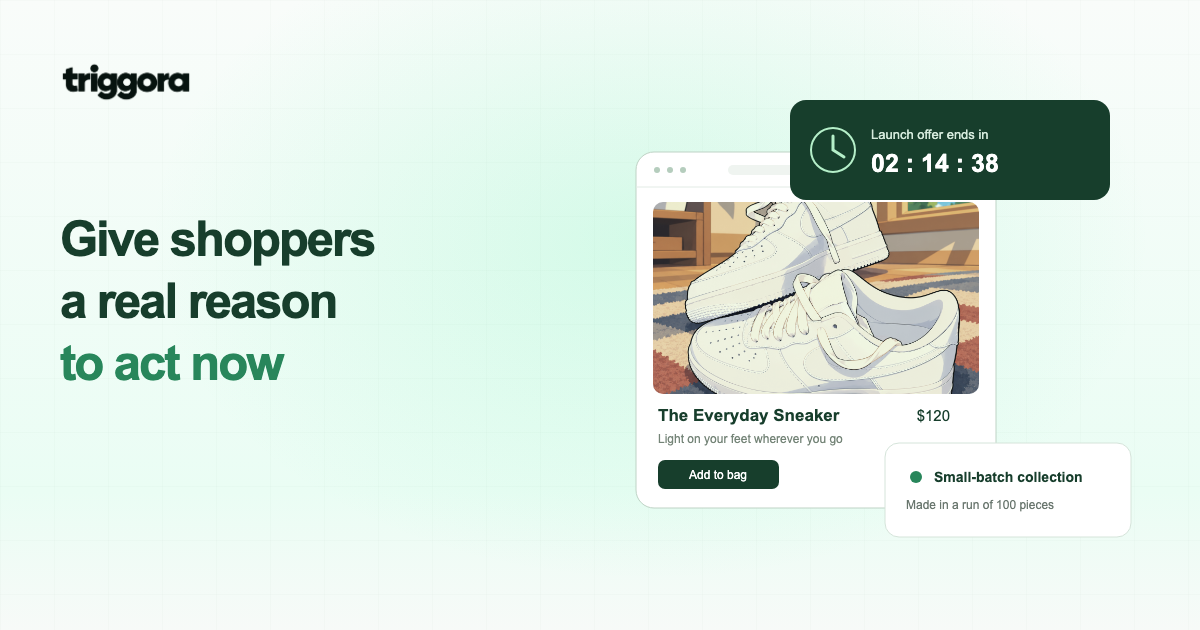
A shopper likes your product, understands the price, and still leaves the tab open for later. Sometimes the missing piece is a real reason to act now. FOMO can make that reason visible—but the reason needs to exist before the marketing does.
- Match urgency to a genuine limit: a campaign deadline, available inventory, a dispatch cutoff, or delivery capacity.
- Show one relevant message near the decision, explain its conditions, and remove it when the limit no longer applies.
- Evaluate completed purchases and revenue alongside refunds, complaints, and usability—not just a busier checkout button.
What is FOMO in conversion marketing?
FOMO means fear of missing out. In ecommerce, it describes the concern that waiting could mean losing an opportunity: a product selling out, an introductory offer ending, or an order missing a shipping deadline.
A clear message can help a shopper understand the consequence of delaying. “Order before 2 p.m. for today’s dispatch” tells someone what changes if they wait. “Hurry!” adds pressure without explaining anything.
FOMO, urgency, scarcity, and social proof are connected, but they are not interchangeable. Urgency concerns time. Scarcity concerns limited availability. Social proof concerns what other people do or experience. A recent purchase can establish activity without proving that stock is nearly gone.
When can FOMO help increase conversion rate?
FOMO is most useful when a visitor already sees value in the offer and a real constraint matters to their decision. It cannot explain an unclear product, fix unexpected shipping charges, or compensate for a checkout that is difficult to use.
Consider a customer buying a birthday gift. A truthful delivery cutoff may be more useful than a discount countdown, because the customer’s main concern is receiving the item in time. Someone comparing expensive furniture may need dimensions, reviews, and return terms before a deadline becomes relevant.
Start by identifying the hesitation you are trying to resolve. If shoppers lack confidence, improve the evidence. If they understand the offer but do not know a genuine deadline exists, communicate it. There is no reliable universal percentage by which FOMO will improve a store’s conversion rate; treat it as a hypothesis to test.
Five practical ways to use FOMO on your website
1. Give a real promotion a visible end date
Explain what the offer includes, who qualifies, and exactly when it ends. For an international audience, include the timezone. A message such as “Free delivery on eligible orders until 23:59 UTC on October 27” is more useful than “Ending soon.”
A countdown can make that deadline easier to scan. Use the same campaign endpoint for every visitor unless the offer genuinely has individual eligibility windows. When the clock reaches zero, the offer and the message must change accordingly.
2. Show product-specific stock limits
If you have reliable inventory data, show the availability of the variant a customer selected. Three small blue jackets remaining does not mean only three jackets remain across every color and size. Refresh the message when stock changes and handle inventory uncertainty without false precision.
3. Explain shipping or booking cutoffs
A dispatch deadline helps people understand when their action affects fulfillment. State the business timezone, eligible destinations, working days, and any conditions. Do not promise delivery by a date if your shipping operation cannot support it.
4. Highlight genuine limited editions or capacity
A seasonal collection, a numbered production run, or a workshop with fixed seats may have a real limit. Explain what is limited and whether you expect a restock or another session. “This batch contains 100 pieces” is different from “Never available again.”
5. Add relevant, accurate purchase activity
A recent-sales widget can demonstrate that other customers are buying. Show genuine events, use an accurate time window, and protect customer details. Do not turn a purchase notification into an unsupported claim that everyone is competing for the last item.
When several signals apply, choose the one that best answers the visitor’s question. A promotion timer, low-stock alert, repeated sales popups, and an exit overlay all competing on one screen can make the product itself harder to evaluate.
Write urgency that explains the offer
Useful FOMO copy connects a benefit, a real limit, and a clear next step. Avoid language that shames visitors or makes the offer sound more exclusive than it is.
| Situation | Clearer message | What must be true |
|---|---|---|
| Campaign deadline | “Launch pricing ends October 27 at 23:59 UTC.” | The price actually changes at that deadline. |
| Variant availability | “3 left in size M, forest green.” | The selected variant has three available units. |
| Dispatch cutoff | “Order by 14:00 GMT for dispatch today.” | The order, destination, and working-day conditions qualify. |
| Limited capacity | “4 places remain in Tuesday’s session.” | Four bookable places remain, with availability kept current. |
Keep essential conditions close to the message. A short, understandable offer with visible limitations is better than an aggressive headline that only becomes accurate after someone reads the fine print.
Place the message near the decision
Put a storewide campaign deadline in a restrained top or bottom banner. Put variant-specific stock information beside the variant selector. Place a dispatch cutoff near shipping information, where it answers a delivery question.
For purchase notifications, consider the visitor’s current page and stage in the journey. A message about an unrelated product can distract from the item they are evaluating. On cart and checkout pages, preserving access to totals, forms, and the checkout button matters more than showing another notification.
Test on mobile with the keyboard open, consent banners visible, and common product options expanded. A widget should not cover required controls. Avoid stacking multiple urgency prompts into a wall of pressure, and respect reduced-motion preferences when you add animation.
Avoid the tactics that make urgency less believable
A countdown that resets after every refresh teaches returning visitors that waiting has no consequence. A permanent “last chance” promotion creates the same problem. Even if a message gets attention, that does not make it a sound long-term conversion strategy.
The FTC’s Bringing Dark Patterns to Light report identifies misleading urgency tactics, including countdowns for offers that are not actually time-limited. Canada’s Competition Bureau similarly distinguishes useful, truthful urgency information from false time, stock, and demand claims. Requirements depend on your market and the specific facts.
- Do not invent visitor counts, stock levels, or recent purchases.
- Do not say a cart is reserved unless inventory is actually reserved for that customer.
- Do not hide a deadline extension or let a timer contradict the price available at checkout.
- Do not conceal costs or subscription conditions behind a distracting urgency message.
You can be persuasive without manufacturing a consequence. If there is no genuine limit, use product benefits, helpful reviews, or a clear invitation to explore instead.
How to measure whether FOMO improves conversions
Define success before the campaign launches. A useful primary metric is purchase conversion rate: completed orders divided by the eligible visits or visitors in your experiment. Pick one denominator and use it consistently for both versions.
- Start with a comparable control. Keep the product, price, traffic eligibility, and actual offer consistent. If you are testing how a deadline is presented, the control should not quietly receive a different deal.
- Randomize where possible. A before-and-after comparison can be distorted by a promotion, traffic change, weekend, or seasonal demand. Keep returning visitors in a consistent experiment group.
- Set sample size and duration in advance. Base them on your traffic, baseline rate, and the minimum change worth acting on. Do not stop simply because an early result looks positive.
- Review the consequences. Watch revenue per eligible visitor, refunds, cancellations, complaints, and mobile usability alongside completed purchases.
Suppose a version gets more orders but brings in less revenue per visitor because of a deeper discount. That is a different result from improving the decision experience at the same price. Treat example calculations as planning tools, not proof that a tactic worked.
A simple FOMO launch checklist
Before publishing an urgency message, make sure you can answer yes to these questions:
- Is the time, inventory, or capacity limit real and documented?
- Does the message describe the exact product, variant, or offer involved?
- Does the timezone or eligibility need explaining?
- Will the widget change or disappear when the limit stops applying?
- Can mobile visitors still read the page and use every important control?
- Do you have a clear measurement plan and an easy way to turn the message off?
To explore the presentation, preview Triggora widgets on your own website. The visual preview uses sample activity and a demonstration countdown. A production campaign needs genuine events, accurate data, and a real deadline; an animated preview is not a campaign backend.
FOMO becomes a stronger conversion tool when it makes a real opportunity easier to understand. Give shoppers the facts they need, show the actual consequence of waiting, and let the results tell you whether the message helped.
Sources & further reading
- Federal Trade Commission: Bringing Dark Patterns to Light
- Competition Bureau Canada: Fake urgency cues
Published . This article is educational; results depend on your store and implementation.